

A website or mobile application can look beautiful and still be difficult to use. Users may struggle to find information, understand navigation, complete forms, or perform simple tasks.
That is where UX design comes in.
UX, or User Experience, focuses on how people interact with a digital product and how easily they can accomplish their goals. Good UX design is not just about making something look attractive — it is about making the entire experience clear, useful, and convenient.
What Is UX Design?
UX design is the process of creating digital products and experiences that are useful, understandable, accessible, and easy to use.
UX designers think about questions such as:
Who will use the product?
What are users trying to accomplish?
What problems might they face?
How should information be organized?
How many steps should a task require?
Where might users become confused?
How can the experience be improved?
UX design can be applied to websites, mobile applications, e-commerce platforms, dashboards, software products, and many other digital experiences.
Why Is UX Design Important?
A digital product is only useful when people can use it effectively.Imagine visiting an online store where the products look attractive, but the navigation is confusing and checkout requires several unnecessary steps. The website may have excellent visual design, but the overall user experience can still be frustrating.
Good UX design helps businesses create experiences where users can:
Find → Understand → Interact → Complete the Task
For example, an online booking website should make it easy for a customer to:
Choose a Service → Select a Date → Enter Details → Confirm Booking
When these steps are clearly designed, users do not have to spend unnecessary effort figuring out what to do next.
UX Design vs UI Design
UX and UI are closely related, but they are not exactly the same.
UX design focuses on the overall experience, while UI design focuses primarily on the visual and interactive interface.
For example, UX determines how a customer moves through an e-commerce checkout process. UI determines how the checkout page looks, including its buttons, colors, typography, spacing, and other visual elements.
Both need to work together.
A visually attractive interface with confusing navigation can create a poor experience, while a well-planned user flow with an unclear interface can also make a product difficult to use.
The UX Design Process
UX design is generally an iterative process rather than a single step.
- User Research
Press enter or click to view image in full size
The process begins with understanding the users.
Research may include:
User interviews
Surveys
Customer feedback
Competitor research
Website analytics
Existing product analysis
The objective is to understand real user needs instead of designing purely from assumptions.
- Define the Problem
After gathering information, designers identify the main problems that need to be solved.
For example:
“Users are having difficulty finding the correct service and completing the booking process.”A clearly defined problem gives the design process direction.
- Create User Flows
A user flow shows the steps someone takes to complete a particular task.For example:
Homepage → Services → Service Details → Booking → ConfirmationMapping this journey can help identify unnecessary steps and confusing interactions.
- Create Wireframes
Wireframes are basic layouts that show how information and interface elements will be organized.
At this stage, designers can focus on:
Page structure
Navigation
Content hierarchy
Buttons
Forms
User flows
Wireframes allow teams to test the basic structure before investing heavily in visual design.
- Create Prototypes
A prototype provides an interactive representation of the proposed website or application.Users and stakeholders can interact with the prototype and provide feedback before development begins. - Conduct Usability Testing
Usability testing helps identify problems in the proposed experience.
For example, testing might reveal that users:
Cannot find a particular button
Do not understand a menu label
Miss important information
Have difficulty completing a form
Take an unexpected path through the application
These observations can be used to improve the design.
- Improve and Repeat
UX design is an ongoing process.
Designers can use research, testing, analytics, and feedback to continuously improve the experience.
Important Principles of Good UX Design
Keep Navigation Simple
Users should be able to understand where they are and where they can go next.
Clear menus, meaningful labels, and logical page structures can make navigation easier.
Make Important Information Easy to Find
Users should not have to search through large amounts of unnecessary content to find essential information.Important details can be organized using headings, sections, cards, lists, and clear visual hierarchy.
Reduce Unnecessary Steps
If a user can complete a task in three steps, there may be little reason to make it six steps.
Become a Medium member
Simplifying user journeys can make digital experiences more efficient.
Provide Clear Feedback
Users should understand what happened after they perform an action.
For example:
“Payment successful”
“Your account has been created”
“Your appointment is confirmed”
“Please enter a valid email address”
Clear feedback reduces uncertainty.
Design for Different Devices
A website or application should provide an appropriate experience across different screen sizes.
Mobile UX should consider:
Touch interactions
Button sizes
Readability
Screen space
Mobile navigation
Form usability
Common UX Design Mistakes
Even well-intentioned designs can create usability problems.
Too Much Information
Presenting everything at once can overwhelm users.
Instead, information should be prioritized and organized according to user needs.
Complicated Forms
Long forms can discourage users from completing a task.
Businesses should request only information that is necessary for the particular process.
Unclear Buttons
A button should clearly communicate the action it performs.
For example, “Book Appointment” can be more meaningful than a generic “Submit” when the user is booking a service.
Inconsistent Design
Different pages should follow a consistent design system.
Buttons, typography, navigation, spacing, and interface components should behave predictably.
Ignoring Accessibility
UX should consider people with different abilities and different ways of interacting with digital products.
Accessibility can include readable text, appropriate contrast, keyboard accessibility, meaningful labels, and properly structured content.
UX Design for Mobile Applications
Mobile applications have limited screen space and rely heavily on touch interaction, making UX particularly important.
A good mobile experience should make common actions easy to complete.
For example, an e-commerce app might use:
Search → Product → Cart → Checkout → Payment
A service application might use:
Login → Service → Date → Confirmation
The fewer unnecessary obstacles users encounter, the easier the application can be to use.
How UX Design Can Help Businesses
UX design can support businesses by making digital interactions clearer and more convenient.
A good user experience can help visitors understand:
What the business offers
Who the service is for
What they should do next
How to contact the business
How to purchase a product
How to book a service
However, UX is only one part of business performance. Results also depend on factors such as product quality, pricing, marketing, competition, customer demand, and technical performance.
UX Design and Website Development Should Work Together
UX should not be considered only after a website has been developed.
Instead, UX can influence the project from the beginning.
A practical workflow is:
Research → User Flow → Wireframe → Prototype → UI Design → Development → Testing → Improvement
This approach allows designers and developers to identify usability problems earlier in the process.
How Naina Technologies Can Help
At Naina Technologies, UX and UI design can be integrated with broader digital development services to create user-focused digital experiences.
Services include:
UI/UX Design
Website Development
Mobile Application Development
E-Commerce Development
CRM Development
CMS Engineering
SEO Services
Digital Marketing
Social Media Optimization
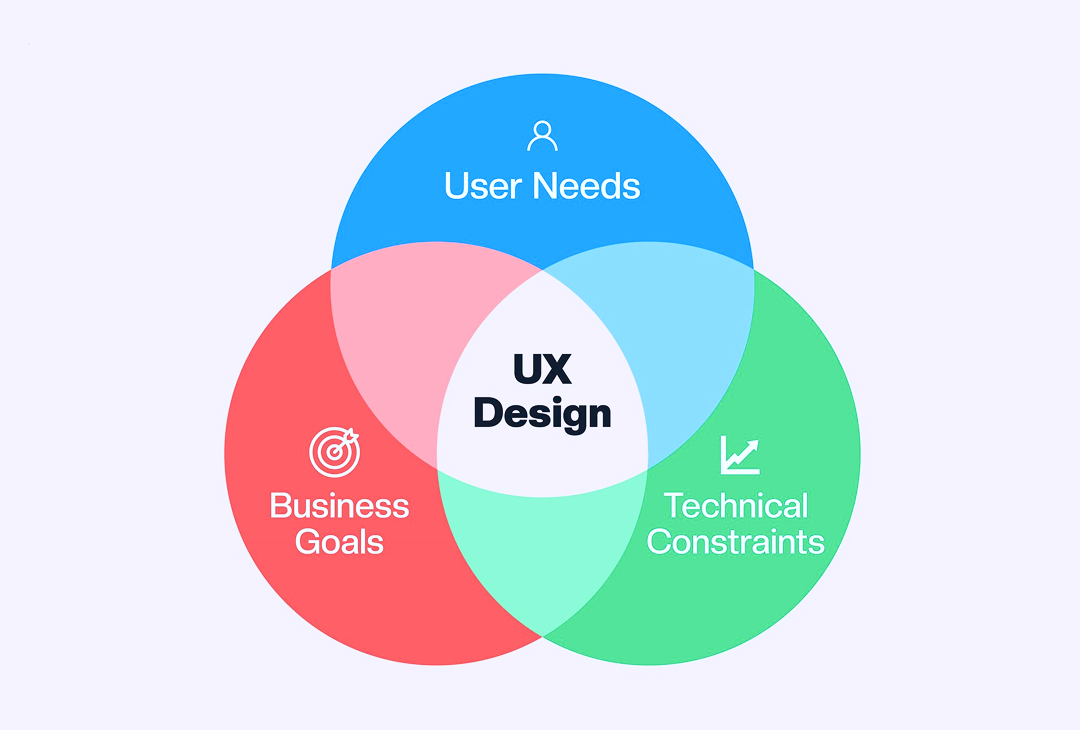
The focus should be on understanding the business objective, identifying user needs, and creating a digital experience that connects the two.
For businesses planning a new website or application, UX can provide an important foundation before development begins.
Final Thoughts
Good UX design is about making digital products easier for people to understand and use.
It starts with understanding users and continues through research, user flows, wireframes, prototypes, testing, development, and continuous improvement.
Whether you are building a website, mobile application, e-commerce platform, or business software, UX should be considered from the beginning rather than treated as an afterthought.
A simple principle can guide the entire process:
Understand the user. Solve the problem. Simplify the experience.If your business is planning a new digital product or wants to improve an existing website or application, a thoughtful UX strategy can help create a more user-focused digital experience.
Naina Technologies
📞 +91 98660 37733
📧 enquiry@nainatechnologies.in
🌐 www.nainatechnologies.in

Leave a Reply